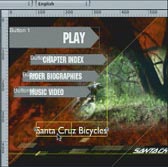
click!
DVD Studio Pro 2
Summary:
Apple say they tried to make iDVD nearly fool-proof: nice idea, but the job is far too complicated for that to be possible. iDVD just doesn't work for me, for instance making a layout without rulers or alignment guides is not at all simple, and none of it is simple if you have a personal idea how you want things to be: and when things go wrong I can't see why they have. Toast 6 is fine for the burning, but navigation possibilities are limited and there's only one layout. DVD Studio Pro lets me decide how far I want to see what's going on under the hood, gives me the layout tools I need to create my own DVD interface, and gives me the control I need to make sure things work. One of those very few elite programs which you just can't wait to get back to when you've had to be away from them - the others being Final Cut Pro, InDesign, and iShell multimedia.
The $800 that Apple-Sweden expects people to pay would have put DVD Studio Pro right out of range for me; Apple US takes $500 which is a great improvement, though it still gives pause for a lot of thought: but I was able to get a new copy via eBay for $280, and that feels simply great - thanks a million for making it possible, Hal - it's the most 'right' thing I've done for ages! ...
Functions:
Things you can produce
click! |
Things you can use
Things you can do
Learning:
Manual:
It feels friendly, eminently usable, much more approachable than Final Cut Pro's manual; a manageable 600 pages, it helps me in a rather short time to reach the understanding I need to make basic decisions, like trade-offs between file-size and quality, when I can delete original sources and so on. For example, when I wanted to know how to link 'upwards' from a track that was playing, it took me half-a-day to formulate the question, five minutes to find the topic in the manual, less than a minute to read the one sentence I needed and reflect on it, and maybe ten seconds to apply it and make it work in the program ... Same with creating a hybrid DVD with both video and data.
What's missing:
- no built-in transitions like in iDVD, seems to have create transition movies from scratch yourself - VERY odd: never mind the fact that the consumer version has something the pro version doesn't have, they're actually built into QuickTime ...
- you can't change the default choice of workspace configuration, a new project always produces the one you chose when you first installed the program, and once you've progressed above the initial basic level, you have to change it afterwards for every new project
- there are two different 'simulate' commands, one starts from the beginning of the project, one starts from the menu you have open when you select the command: they have different commands, sure but they're called the same thing - very odd, even stupid since it makes life unnecessarily complicated, same as with a score of different PowerBooks and PowerMacs ...
- error messages not very helpful: e.g. 'marker position in movie not at GOP boundary': but the manual says that the program itself sets the GOPs to fit my chapter markers - huh?!
- in the manual's index: some things as basic as 'missing', 'replace', 'relink' - they're all under 'assets', which is not where I would look for them at least! ...
What doesn't work:
The exact positioning of chapter markers is critical in creating a DVD with chapters: to save resources, only about one frame in a dozen or so contains the complete picture, a keyframe, the rest only say what's to be added or taken away since the last keyframe: the whole bundle is called a 'group of pictures', GOP. The group of pictures starts with the keyframe, which thus comes at the 'GOP boundary'. So naturally, for the DVD-player to have a full picture to present when it jumps to a new chapter, each chapter marker must be placed at a keyframe. Apple proudly boasts that when you create chapter markers in Final Cut or iMovie, the QuickTime MPEG Encoder puts a keyframe "exactly at every marker and providing perfect marker placement" (DVD Studio Pro 2 User's Manual, p.67): but 'there's many a slip 'twixt the cup and the lip', and in practice DVD Studio Pro can still abort a project-build with the message "Marker Position In Movie Not At GOP Boundary".
I only got the error message when I tried to just *build* a project: previously, when I had chosen to go direct to 'burn', it didn't give any information about failure, it just stuck with the progress bar at "14% done" for hours at a time. I discovered that those 14% seem to be the audio part, but that didn't really get me any further... I'd wasted 50 hours messing around with other variables before I thought of trying to just build instead of burning; but once I'd got the error message, I could go to Apple's discussion web-site (well, eventually - it was completely down the first day) and find a work-around which would at least allow me to get the disc burnt, by selecting in the 'Track' preferences 'fix invalid markers' - but WHY on earth wasn't that already selected as a default?! - and why on earth didn't the error message point me there straight away?!
Oh: and in the end I found the clue in an Apple Knowledge Base document: it seems you have to put a chapter marker between any stills and movie sections of the same track, though there's nothing about why, nor what you might do with those markers which are redundant to your interface ... I suppose you can just delete the thumbnails and leave them without anything linked to them, and manually move the subsequent ones up a place ... but what a mess!
| Delightful,
empowering: |
Great
promises not fulfilled, and five days wasted: |
Fine
for what it does: |
The
smooth - and via eBay even affordable!
- solution: |
Capturing video and making a DVD in Mac OS Panther |

|