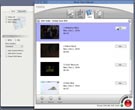
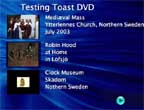
- if your DVD is one long movie, there's just one button at the top
- if you have multiple movie-files, you get one button for each, grouped at the rate of three buttons per menu
| Watch out for the things you can edit: |
click! |
Toast 6
I did two tests in Toast 6, one the 80-minute cartoon I had failed with in iDVD 4, the other a compilation of seven short movie clips totalling three minutes, again using 80¢ discs:
| Watch out for the things you can edit: |
click! |
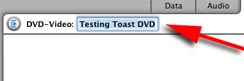
| The project name at the top of the main toast window: it says 'My DVD' by default, and doesn't look to me like something you are expected to edit: but if you don't, you get 'My DVD' as the file name of the finished disc in the Mac Finder: |
|
| The 'edit/text' panel will be the text of the menu title: if you don't do anything you get the file name, date and film duration: | 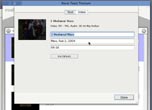 |
| but you can change that to anything you want, in up to three lines of text: | 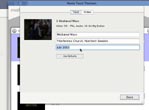 |
The
'edit/video' panel:
|
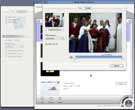 |
Edited, ready to burn: |
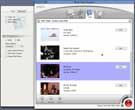 |
Toast doesn't give you buttons for chapters in the final DVD like iDVD does, but your DVD player - TV or Mac - will skip between chapters one at a time if you click 'next' or 'previous': that's to say, you can find your way around the movie if you don't want to see it straight through: but the chapter-markers didn't actually come in the right places, and the names were hopelessly mixed up - some come twice while others are missing completely; they all show up correctly in the movie as it was exported from Final Cut Pro 4, when I open it in QT Player |
 |
| Delightful,
empowering: |
Great
promises not fulfilled, and five days wasted: |
Fine
for what it does: |
The
smooth - and via eBay even affordable!
- solution: |
Capturing video and making a DVD in Mac OS Panther |

|