|
the simple freeware ColorFinder |
|
|
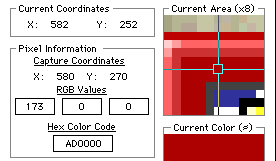
and the more sophisticated shareware Pixel Spy |
 |
|
|
|
|
- examples are
|
the simple freeware ColorFinder |
|
|
and the more sophisticated shareware Pixel Spy |
|
With a utility which will give you numbers from colours you select on the screen, I took a series of readings from the background to the Netscape icon, and came up with this:
|
|
|
|
|
|
|
|
|
|
|
|
With a utility like Pixel Spy, which will give you the colour for each number you type in, you can immediately see the results of your playing with numbers, without having to save a document and view it in a browser - a great stimulus to creativity, which only the Colour Picker of the Mac OS8 improves on.
You might like to look at what's like working with the other tools - HERE
|
|
|
|
|