Tips on hearing mp3 music files:
Screen shots - Internet Explorer
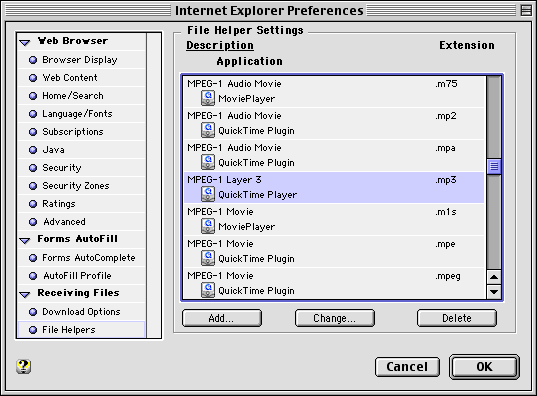
To see how things are set at at the moment, you have to click on "change" - or double-click on the item in the list
though you don't actually have to change things, if you're satisfied with the way things are, you can close the dialog box by clicking "cancel"
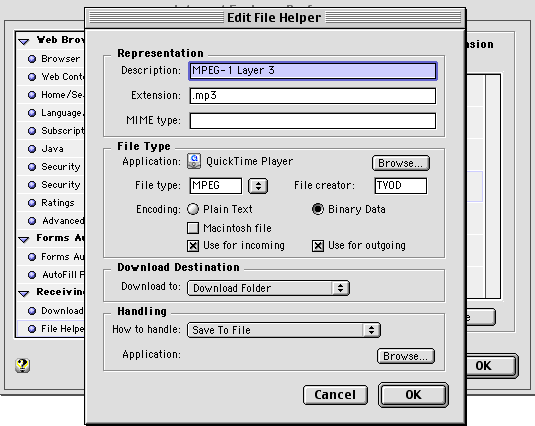
- you can click on the "file type" > "browse" button to change the application you want to associate with your mp3 files;
- with the "Download Destination" > "Download Folder" button you can determine where you would like your newly-downloaded files to be stored;
- with the "Handling" >"Save to File" button you can choose whether the program plays the file straight away or just stores it for later